In the ever-expanding landscape of email marketing software, Pabbly Email Marketing stands out for one bold promise: unlimited email sending with powerful features normally reserved for enterprise-level tools. But how does it perform in real use, and is it worth choosing over other solutions like Brevo, Mailchimp, or ActiveCampaign?
This comprehensive review dives into Pabbly’s features, pricing, deliverability, SMTP routing, automation workflows, segmentation, API integration, pros and cons, pricing comparisons, and how it stacks up for different business needs. You’ll walk away with a clear understanding of whether Pabbly email marketing deserves a spot in your growth stack.
What Is Pabbly Email Marketing?
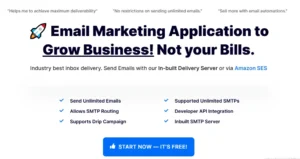
Pabbly Email Marketing is a platform designed to help businesses create, manage, automate, and send email campaigns without traditional limits on send volume. Unlike many email marketing tools that restrict sends based on contact tiers, Pabbly lets you send unlimited emails — especially when connected to external SMTP services — while providing automation, segmentation, analytics, and personalization features.
Trusted by over 14,000 businesses, Pabbly’s core differentiator is its multi-SMTP routing and unlimited email capabilities even on lower tier plans, making it attractive for high-volume email campaigns and marketers focused on deliverability.
Pabbly Features — What You’re Actually Getting
Pabbly packs a wide range of features into its email marketing module that appeal to both beginners and seasoned marketers:
✅ Drag & Drop Email Builder
Create responsive, mobile-friendly email campaigns with a visual editor — no coding needed. You can use pre-designed templates or build from scratch.
✅ Unlimited Email Sending
One of Pabbly’s biggest claims is the ability to send unlimited emails to your subscribers. While built-in SMTP may have initial limits, connecting external SMTP relays removes most constraints.
✅ SMTP Routing & Multi-SMTP Support
You can connect multiple SMTP servers (like Amazon SES, SendGrid, Mailgun, etc.) and balance sending loads for improved deliverability and reduced bounce rates. Routing lets you manually distribute sends between servers.
✅ Automation Workflows
Automation lets you trigger emails based on user behavior like opens, clicks, and engagement, with multi-step workflows for better personalization and segmented targeting.
✅ Email Segmentation & Personalization
Target your audience by creating segments based on behavior or custom fields, increasing relevance and conversion rates.
✅ Analytics & Tracking
Pabbly offers campaign performance reports including opens, clicks, and unsubscribe rates — essential for optimizing results over time.
✅ Developer API Integration
For advanced use, Pabbly’s API allows deeper integrations into custom workflows or third-party tools.
✅ Subscription Forms & List Management
Create subscription forms that integrate with your campaigns and segment lists according to sign-ups, preferences, and engagement.
⚙️ Additional Features
Auto-follow-up emails for non-openers
A/B testing capabilities
Unlimited custom fields
Suppression list and throttling tools
Import and export contacts
Webforms and Google Analytics integration
In short: Pabbly covers nearly all core email marketing functionality — with a focus on flexibility and volume.
Pabbly Pricing — Plans, Options & Value
💸 Free Plan
Pabbly offers a free plan that lets you send emails to up to 100 subscribers immediately upon signup, which is a useful way to test core features.
📊 Monthly Paid Plans
According to official and third-party pricing data:
| Plan | Price / Month | Subscribers | Email Sends |
|---|---|---|---|
| Rookie | $24–$29 | Up to 5,000 | Unlimited |
| Pro | $41–$49 | Up to 15,000 | Unlimited |
| Advanced | ~$83–$99 | Up to 50,000 | Unlimited |
| Enterprise | Custom | 50,000+ | Unlimited |
Most plans include the full feature set — including automation, segmentation, multiple SMTPs, personalization, and API access.
📈 Lifetime Deals
Some users report that Pabbly offers lifetime deals for its email marketing plans, allowing one-time payments for ongoing use — a rarity in SaaS pricing and a strong choice for long-term, cost-conscious businesses.
🎁 Discounts & Guarantees
Pabbly often includes a 30-day money-back guarantee and discounts on yearly billing, making it easier to commit and test without risk.
Is Pabbly Worth It? — Evaluating Value for Money
The question of “Is Pabbly worth it?” depends largely on your needs:
✔️ Pros
Unlimited email sends with multiple SMTP support.
Comprehensive marketing automation.
Pricing that scales with subscriber size, not send volume.
Strong segmentation and personalization capabilities.
Competitive pricing compared to other major email tools.
ISO 27001 and SOC2 Type 2 compliance for enterprise security.
❌ Cons
Some users — particularly in community forums — report slow customer support and sporadic deliverability issues, which can be critical for businesses relying on timely campaign performance.
The user interface is often described as less intuitive than competitors like Brevo or Mailchimp.
Built-in SMTP may involve daily send limits initially, requiring external SMTP configuration for full unlimited sending.
Summary: Pabbly can be worth it if your priority is high-volume email sending with flexibility and modern automation workflows, especially at a lower cost than many alternatives.
Pabbly Email Marketing Features Explained (Keyword-Rich Deep Dive)
To truly understand Pabbly’s capabilities, let’s break down key features in practical terms:
🛠️ 1. Unlimited Email Sending Tool
Unlike many ESPs that cap your send volume based on contact list size, Pabbly’s plans let you send unlimited emails, either via its built-in SMTP or through external SMTP services (e.g., Amazon SES, Mailgun). This model gives marketers control and reduces unexpected cost overages.
🧠 2. SMTP Routing — Deliverability Control
SMTP routing is a standout feature: you can connect multiple SMTP relays at once and distribute email sends across servers. This helps improve deliverability, reduce bounce rates, and avoid spam folder placement — crucial for high-volume marketing.
🤖 3. Pabbly Automation Workflows
Pabbly automation allows you to trigger email sequences based on user actions like clicks, opens, or other engagements. Multi-step workflows help you nurture leads and automate complex sequences without manual intervention.
🎯 4. Segmentation & Personalization
Advanced segmentation lets you group subscribers by engagement, demographics, or behavior — ensuring your emails are relevant and personalized to each group, improving open and click-through rates.
📊 5. Analytics & Reporting
Full campaign reports include opens, clicks, and unsubscribes, giving you the data you need to refine strategy and make informed decisions.
⚙️ 6. Developer API Integration
For teams building custom workflows or integrating Pabbly into a wider stack, the API is robust and flexible, allowing programmatic control over lists, sends, and automation triggers.
Pabbly Tutorial — How to Use Pabbly Email Marketing
At its core, Pabbly’s workflow is straightforward:
Create or import your contacts using CSV files or direct list management.
Design campaigns with the drag-and-drop email builder or mobile-responsive templates.
Connect SMTP servers for unlimited sending and configure routing paths.
Set up automation workflows triggered by opens, clicks, or other engagement.
Review analytics to refine your campaigns.
This simplicity, combined with powerful flexibility, makes it suitable for both beginners and advanced marketers.
Pabbly Pros and Cons (Honest Assessment)
👍 Pros
Unlimited email sending with multiple SMTP support.
Advanced segmentation and automation workflows.
Competitive pricing with lifetime deal options.
Strong compliance certifications (ISO/SOC2).
Developer friendly API and integrations.
Includes critical features like throttling, A/B testing, and auto-follow-ups.
👎 Cons
Mixed deliverability reports in community reviews.
Customer support quality can be inconsistent.
Built-in SMTP may require gradual warm-up or external SMTP to maximize performance.
Pabbly Alternatives (And Why You Might Consider Them)
If Pabbly doesn’t fit your exact needs, here are top alternatives:
Brevo – Strong all-in-one platform with multi-channel support.
Mailchimp – Popular choice with extensive ecosystem.
ActiveCampaign – Advanced automation and CRM focus.
SendGrid – Developer-centric transactional email.
Each competitor has its own strengths, especially around deliverability and UI simplicity.
FAQs — Quick Answers to Common Questions
1. Is Pabbly email marketing worth it in 2026?
Yes, Pabbly email marketing is worth it in 2026 for businesses that need unlimited email sending, automation workflows, and multi-SMTP routing at a fixed cost. It is especially valuable for high-volume senders, SaaS businesses, and marketers who want predictable pricing without per-email charges.
2. Does Pabbly offer unlimited email sending?
Pabbly allows unlimited email sending on paid plans when connected to external SMTP services such as Amazon SES, Mailgun, or SendGrid. This makes it a popular choice for businesses running large campaigns or frequent newsletters without worrying about email send limits.
3. How does Pabbly SMTP routing work?
Pabbly SMTP routing lets users connect multiple SMTP servers and distribute email traffic across them. This improves email deliverability, reduces server overload, and helps maintain strong sender reputation—especially for high-volume email marketing.
4. Is Pabbly better than Brevo for high-volume email campaigns?
Pabbly is often better than Brevo for high-volume email marketing because it supports unlimited sending via SMTP routing. However, Brevo offers stronger built-in deliverability management, CRM features, and multi-channel marketing, making the better choice dependent on business needs.
5. Does Pabbly have a free plan?
Yes, Pabbly provides a free plan that allows email marketing for up to 100 subscribers. This plan includes core features such as campaign creation and list management, making it suitable for testing the platform before upgrading.
6. How good is Pabbly email deliverability?
Pabbly’s email deliverability depends largely on the SMTP services you connect. When paired with high-quality SMTP providers and proper domain authentication (SPF, DKIM, DMARC), Pabbly can achieve strong deliverability rates comparable to premium email platforms.
7. Is Pabbly suitable for small businesses?
Yes, Pabbly is a strong option for small businesses looking for affordable email marketing software with automation, segmentation, and unlimited sending. Its pricing model makes it cost-effective as subscriber lists grow.
8. What are the best alternatives to Pabbly?
Popular Pabbly alternatives include Brevo, Mailchimp, ActiveCampaign, and SendGrid. These tools may offer better UI design, customer support, or built-in deliverability, depending on your marketing goals and budget.
9. Does Pabbly support email automation workflows?
Yes, Pabbly supports email automation workflows that trigger messages based on user actions such as opens, clicks, or time delays. These workflows help businesses automate follow-ups, drip campaigns, and customer journeys.
10. Can developers use Pabbly API for custom integrations?
Pabbly offers a developer API that allows businesses to integrate email marketing into custom applications, CRMs, or automation systems, making it suitable for advanced and technical marketing teams.
Final Verdict — Is Pabbly Right for You?
Pabbly Email Marketing is a powerful, cost-effective solution with unlimited sending capabilities and flexibility that many traditional ESPs don’t offer. Its multi-SMTP routing, automation workflows, segmentation, and API integrations make it compelling for businesses with large lists or complex automation needs.
However, mixed feedback on deliverability and support suggests it may not be the best choice if you need highest-inbox delivery or rapid customer service. For many small to medium-sized businesses or marketing teams looking for scale without skyrocketing costs, Pabbly is worth serious consideration.