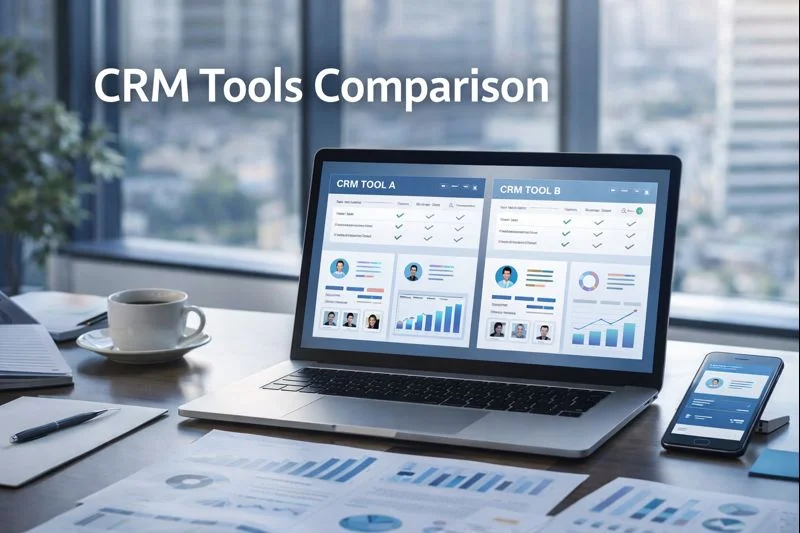
Customer Relationship Management (CRM) software is no longer a luxury for businesses — it’s a necessity. For small businesses, choosing the right CRM can streamline operations, improve customer interactions, and boost sales. With so many options available, a CRM tools comparison for small business can help you decide which platform best fits your needs, budget, and growth plans.
This guide will break down top CRM tools, their features, pros, cons, and best use cases for small businesses in 2025.
Why Small Businesses Need a CRM in 2025
Centralized customer data: Keep all contacts, leads, and communications in one place.
Improved sales tracking: Monitor deals, pipelines, and sales activities easily.
Automation: Save time with automated follow-ups, reminders, and emails.
Better customer service: Track queries, support tickets, and interactions efficiently.
Scalability: Choose a CRM that grows as your business expands.
Top CRM Tools for Small Business in 2025
Here’s a comparison of the leading CRM tools for small businesses based on features, pricing, ease of use, and suitability.
| CRM Tool | Best For | Key Features | Pros | Cons | Pricing |
|---|---|---|---|---|---|
| HubSpot CRM | Startups, small teams | Contact management, email marketing, lead tracking, dashboard analytics | Free tier available, easy to use, integrates with marketing tools | Advanced features can be expensive | Free to $50+/user/month |
| Zoho CRM | Budget-conscious businesses | Sales automation, AI-powered lead scoring, workflow automation, multi-channel support | Affordable, customizable, AI assistant | UI can be complex, less intuitive | Free to $35+/user/month |
| Pipedrive | Sales-focused small businesses | Visual sales pipelines, deal management, email integration | Intuitive, easy to set up, great for small sales teams | Limited marketing automation | $15–$35/user/month |
| Freshsales (Freshworks) | SMBs needing CRM + communication | Email/phone integration, AI insights, deal management | Simple interface, automation features, affordable | Less advanced for large-scale enterprises | $15–$69/user/month |
| Salesforce Essentials | Growing small businesses aiming for scalability | Contact & lead management, dashboards, automation, integrations | Powerful, scalable, trusted by enterprises | Higher learning curve, more expensive | $25/user/month |
Detailed CRM Tools Comparison for Small Business
1. HubSpot CRM
Pros: HubSpot offers a free plan suitable for startups and solo entrepreneurs. Its marketing and sales tools are integrated, making it easy to track campaigns, leads, and customer interactions.
Cons: Premium features like advanced reporting and automation are pricey, which can be a hurdle for small businesses with tight budgets.
2. Zoho CRM
Pros: Zoho CRM is affordable and highly customizable. The AI assistant (Zia) provides lead predictions, workflow suggestions, and insights to improve sales performance.
Cons: The user interface can be a bit complex initially, requiring some time to learn.
3. Pipedrive
Pros: Pipedrive is designed around visual pipelines, making it extremely intuitive for small sales teams. You can track deals from start to finish effortlessly.
Cons: Lacks robust marketing automation features, so you may need additional tools for email campaigns.
4. Freshsales (Freshworks)
Pros: Freshsales combines CRM with built-in communication tools (email & phone), offers AI insights, and automates repetitive tasks.
Cons: May not support very complex workflows or integrations required by growing enterprises.
5. Salesforce Essentials
Pros: Salesforce Essentials is the small-business version of Salesforce. It provides enterprise-grade features in a scalable package. Integrations and analytics are top-notch.
Cons: Steeper learning curve and higher cost compared to simpler CRMs.
How to Choose the Right CRM for Your Small Business
Assess your business needs: Do you need marketing automation, sales tracking, or both?
Consider team size: Choose a CRM that your team can manage easily.
Budget: Look for affordable options that scale without significant cost increases.
Integration: Ensure the CRM integrates with your current tools like email, e-commerce, or project management software.
Ease of use: Avoid complex systems if your team lacks dedicated CRM experience.
Tips for Small Businesses Using CRM Tools
Start small: Use basic features first and scale up as needed.
Train your team: Proper onboarding ensures maximum adoption and efficiency.
Leverage automation: Automate repetitive tasks like follow-ups and reminders to save time.
Monitor performance: Use analytics to understand sales trends and improve strategies.
Regularly update data: Keep contact information, leads, and sales data accurate to maximize CRM effectiveness.
Conclusion
Choosing the right CRM can transform how a small business manages sales, marketing, and customer relationships. By comparing tools like HubSpot CRM, Zoho CRM, Pipedrive, Freshsales, and Salesforce Essentials, small businesses can select a CRM that fits their budget, workflow, and growth plans.
In 2025, the best CRM tools for small businesses are those that are scalable, easy to use, integrate well with existing systems, and provide automation and analytics to help businesses grow efficiently.