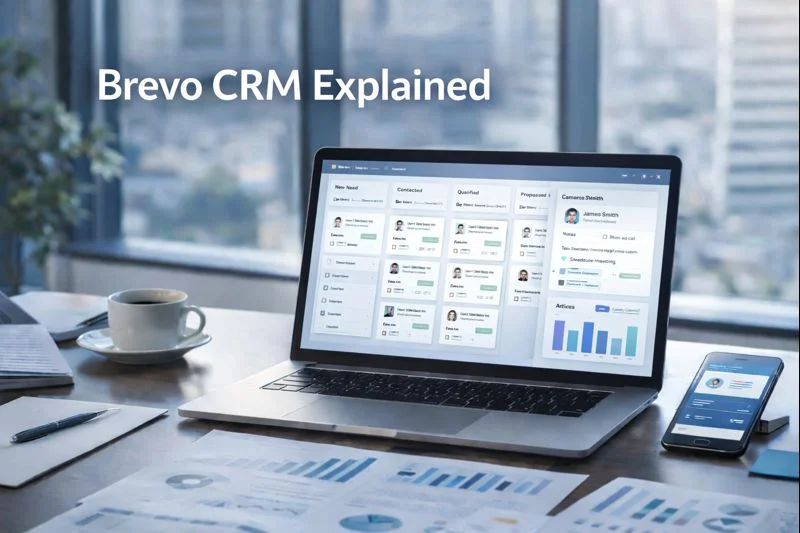
I spent several weeks using Brevo’s CRM for real client projects — importing contacts, building deal pipelines, routing leads to sales, and wiring CRM events into marketing automations. What follows is a practical, field-tested guide that explains how Brevo’s built-in CRM works, who it’s best for, and exactly how to implement it in a small-business environment so it drives revenue instead of adding busywork.
Quick verdict — is Brevo CRM right for your small business?
Brevo’s CRM is a light, well-integrated system designed to centralize contact records, track deals, and automate follow-ups inside the same platform you use for email, SMS and automation. It’s not intended to replace a heavyweight sales CRM, but for small teams that need sales + marketing in one tool, it’s fast to set up, cost-effective, and practical for day-to-day pipeline management.
What Brevo CRM actually includes (feature overview)
At its core, Brevo CRM provides:
Contact management with custom fields, tags and activity history.
Deal pipelines: visual pipelines you can customize to match sales stages.
Tasks and reminders for follow-ups and sales activity.
Integration hooks with e-commerce, forms and third-party apps so contact and order data flow in automatically.
Automation & workflow actions: add tags, send emails, or update deals from automations.
Webhooks and API access for more advanced syncs.
This combination makes Brevo a true multi-tool: CRM plus messaging and automation in one place, reducing tool fragmentation for small teams.
Who should use Brevo CRM — and who should look elsewhere
Ideal users:
Solo founders and small teams (1–10 people) who need an all-in-one stack.
E-commerce shops wanting contact-to-order history alongside marketing.
Agencies managing SMB clients who want a single billing and tool footprint.
When to consider a specialist CRM instead:
If you need enterprise features like advanced lead scoring, territory management, or deep sales forecasting, a dedicated CRM (Salesforce, HubSpot Sales, Pipedrive with custom add-ons) may be a better fit. Brevo favors simplicity and integration over enterprise complexity. Brevo+1
Real setup — how I implemented Brevo CRM for a small online store (step-by-step)
Below is the exact process I followed when onboarding a client store to Brevo CRM — you can replicate this in under a few hours.
1. Define your pipeline stages (15–30 minutes)
Sketch your sales process on paper. For an e-commerce store I used:
Lead → Contacted → Demo/Call → Proposal → Won/Lost
Then I created a pipeline inside Brevo and added those stages. Customizing stages first prevents messy deal status later. Brevo
2. Import contacts and attach properties (20–40 minutes)
I prepared a CSV with columns:
Email, First Name, Last Name, Company, Source, Last Purchase Date, LTV (optional), Tags
Importing into Brevo preserved custom fields and let me immediately filter contacts (e.g., high LTV customers) for VIP campaigns. Keep your import clean — merge duplicates and map fields correctly to avoid mismatches.
3. Create saved filters and segments (10 minutes)
I built segments like:
New leads (last 7 days)
VIP customers (LTV > threshold)
Abandoned cart contacts (via e-commerce integration)
These segments become both campaign targets and automation entry points.
4. Wire integrations (Shopify/WooCommerce/Forms) (20–60 minutes)
I connected the store so orders and abandoned-cart events create or update contacts. That meant the CRM immediately reflected purchase behavior and allowed automated post-purchase follow-ups. Using the marketplace or Zapier makes this painless.
5. Build automations that interact with deals (30–90 minutes)
I created two automations:
New lead → Notify sales (task assigned) → Send welcome email
Cart abandon → Wait 1 hour → Send recovery email → If no purchase, send SMS reminder
Automations can tag contacts, create deals, and update deal stages when conversions happen — that’s where the CRM and marketing tools show their value together.
Deal pipelines: practical tips and templates
Pipelines are where prospects become customers. Below are practical pipeline templates I use for small businesses — they’re copy-paste ready.
E-commerce (B2C) pipeline
Browsed product
Added to cart
Abandoned cart (follow-up scenario)
Converted (order placed)
Repeat buyer / VIP
B2B services pipeline
New lead
Qualified lead
Discovery call scheduled
Proposal sent
Negotiation
Won / Lost
Tips for pipeline hygiene
Limit deal stages to 5–7 to reduce friction.
Use mandatory fields on key stages (e.g., next contact date on “Discovery call”).
Archive stale deals monthly or automatically after N days of inactivity.
Tasks, reminders and team collaboration
Brevo CRM supports assigning tasks to team members and creating reminders. In practice I set rules like:
Automatically assign a follow-up task 48 hours after a demo is scheduled.
Trigger an urgent task for VIP clicks on pricing pages.
These micro-automation steps prevent leads from slipping through cracks and make small teams act bigger than they are.
Using contact activity history to personalize outreach
One of the biggest wins using Brevo CRM was combining contact history (emails opened, pages visited, purchases) with CRM records. During follow-ups, salespeople had a unified view:
Last email opened
Last product viewed
Total purchases and first purchase date
This context directly improves talk tracks and conversion rates, because outreach becomes informed and timely.
Integrations, webhooks and advanced syncs
Brevo’s marketplace plus Zapier enables synchronizing:
E-commerce orders and carts
Calendars and meeting bookings
Helpdesk tickets and CRM contact enrichment
For advanced use, webhooks and the API allow pushing or pulling events to a separate BI tool or custom application — for example, creating a deal automatically when a high-value order appears. This is particularly useful if you need custom reporting or multi-system workflows.
Metrics and dashboards small businesses should track
When using Brevo CRM, I focus on a small set of metrics that matter most for growth:
| Metric | Why it matters |
|---|---|
| Number of new deals (per week) | Lead generation velocity |
| Deal win rate | Sales effectiveness |
| Time to close | Efficiency and process bottlenecks |
| Revenue by pipeline stage | Where to invest marketing budget |
| Tasks completed | Team activity and responsiveness |
Set up weekly reports and keep the dashboard simple — too many metrics dilute focus.
Common pitfalls and how to avoid them
Pitfall: Duplicated contacts and fragmented histories.
Fix: Use unique identifiers (email + order ID) and run duplicate-cleansing before importing.
Pitfall: Too many pipelines or stages.
Fix: Keep pipelines lean and purposeful. One pipeline per sales motion works best.
Pitfall: Not tying CRM events back to revenue.
Fix: Use UTM parameters and integrate order IDs so marketing campaigns map to deal revenue.
Security, compliance and data governance
Small businesses must treat customer data responsibly. I enforced:
Role-based access for team members.
A quarterly data retention policy to remove outdated contacts.
Consent flags on each contact to prove opt-in for marketing and messaging.
These practices reduce legal exposure while improving deliverability and trust.
Cost considerations and ROI
Brevo’s licensing is generally built around email/send volume and add-ons, but the CRM functionality is included within plans that target SMBs — making the cost equation: fewer tools + less switching = lower TCO. Evaluate ROI by calculating revenue per deal influenced by CRM actions (e.g., percentage lift in conversion after adding the CRM + automations). Keeping the scope small and measurable helps justify the expense.
Actionable 30-day rollout plan for small businesses
Week 1: Define pipelines and import contacts; authenticate your sending domain.
Week 2: Connect e-commerce/forms and create core segments (new leads, VIPs).
Week 3: Build 2 automations (lead notify, cart recovery) and test end-to-end.
Week 4: Train team on tasks & reporting; run weekly metrics review and iterate.
Final thoughts
Brevo CRM is not the most feature-dense sales platform you’ll find, but it’s deliberately crafted for small teams that want to manage marketing and sales in one place. The real value comes from integration: when contact data, automations and deal tracking flow together you get faster follow-ups, smarter outreach and more predictable revenue. If your business needs a practical, unified CRM that plugs directly into email, SMS and automation, Brevo is worth testing.
Frequently Asked Questions:
1. What is Brevo CRM and how does it work for small businesses?
Brevo CRM is a built-in customer relationship management system designed to help small businesses organize contacts, track deals, manage pipelines, and automate follow-ups. It centralizes customer data and integrates directly with Brevo’s email, SMS, and automation tools, making it easier to manage sales and marketing from one platform.
2. How do I set up my first sales pipeline inside Brevo CRM?
To create a pipeline, go to the CRM section, click “Pipelines,” and add the stages that match your sales process (such as Lead, Contacted, Proposal, Won). You can then add deals manually or automatically through forms, integrations, or automations. Brevo allows you to customize each stage and assign tasks to team members for better tracking.
3. Can Brevo CRM automate follow-ups and tasks?
Yes. Brevo CRM supports automated workflows that can assign tasks, create deals, move deals across stages, apply tags, and send email or SMS follow-ups. This is ideal for lead nurturing, abandoned cart recovery, onboarding, and sales reminders — helping small teams stay organized without manual effort.
4. Is Brevo CRM good enough to replace a dedicated CRM?
Brevo CRM is excellent for small businesses that need a simple, integrated system for managing contacts, deals, and marketing automation. It may not replace advanced enterprise CRMs, but it’s ideal for small teams looking for a lightweight CRM with strong marketing features and low complexity.
5. Can I integrate Brevo CRM with my website, e-commerce store, or apps?
Yes. Brevo CRM integrates with popular platforms like Shopify, WooCommerce, WordPress, and various form builders. It can automatically capture leads, sync orders, record abandoned carts, and update contact information. You can also connect third-party apps using Zapier or Brevo’s API for custom integrations.