I spent weeks building and testing real automation flows in Brevo for client campaigns — welcome sequences, cart recovery, VIP funnels, and mixed email+SMS journeys. This guide is a hands-on, step-by-step manual that walks you from basic concepts to advanced workflows, with actionable templates, testing tips, and a checklist you can copy into your own Brevo account.
Why automation matters (quick reality check)
Automation turns repeatable marketing tasks into measurable revenue engines. Instead of manually sending one-off broadcasts, you create rules that move contacts through a journey based on behavior, attributes, or time. That means:
Faster responses to buyer intent (higher conversion rates)
Consistent onboarding and retention (less churn)
Time back for strategy and creative work
In short: the right automations are the difference between one-time sells and predictable, repeatable growth.
What Brevo automation can do (short feature summary)
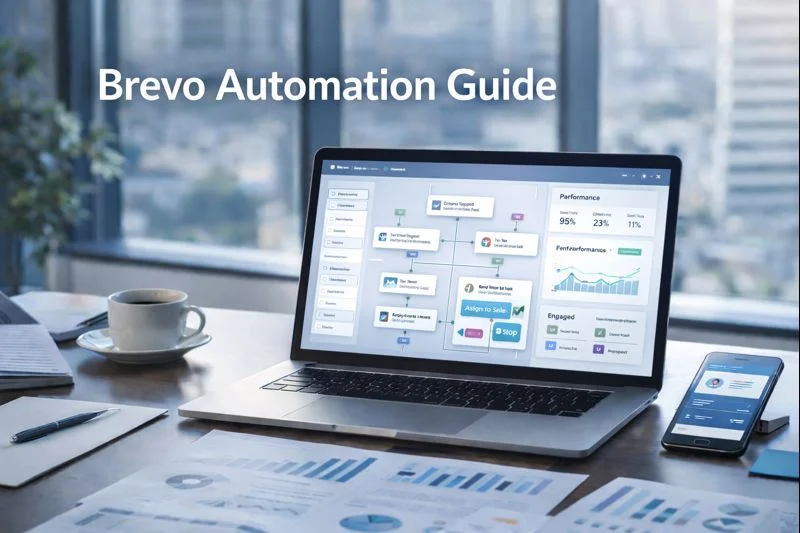
Brevo’s automation editor supports a wide set of entry points, actions, delays and rules so you can craft journeys that include email, SMS, WhatsApp (where available), conditional splits, A/B tests and CRM actions. You can trigger automations when a contact is added to a list, when an event happens, or when a contact matches a segment — then branch contacts down different paths using conditional rules.
Core automation building blocks (how I think about them)
Treat every automation as a small program composed of five building blocks:
Entry point — how contacts enter (e.g., “added to list,” “placed order,” “clicked link”).
Delay/timing — waits and time-based rules (e.g., wait 1 day, send at 9am).
Actions — send email, send SMS, add tag, update contact field, create deal.
Conditions / Splits — conditional branching (if/else, multi-branch, AB tests).
Exit/Goal — what final outcome removes a contact from the funnel (purchase, unsubscribe, conversion tag).
When I design flows, I sketch these blocks on paper first, then build in the Brevo editor.
Step-by-step: Build a basic 4-step automation (welcome → onboard → convert)
Below is a practical example you can recreate quickly.
Goal
Nurture new subscribers into first-time customers within 14 days.
Journey sketch
Entry: Contact added to “new-subscribers” list
Send: Welcome email immediately
Delay: Wait 2 days → Send onboarding tips email
Condition: If clicked product link → wait 2 days → send first-purchase offer; else → wait 3 days → resend onboarding with social proof
Goal: Tag contact as “converted” when purchase event recorded
How to implement in Brevo
Create the Entry point: choose “Contact is added to a list” and pick your list.
Add Action: send a campaign (welcome email).
Add Delay: set “wait 2 days.”
Add Action: send onboarding email.
Add Conditional split: check link click or purchase event — route contact A to a discount email, contact B to social proof follow-up. Brevo supports if/else conditions and multi-branch conditional splits for complex routing.
Templates you can copy (4 ready-to-use workflows)
Use these templates as starters — tweak timing, copy and offers to fit your business.
1) Welcome + Onboarding (5 steps)
Entry: Added to list
Email 1: Welcome (immediate)
Wait 48 hours → Email 2: How to get started (tips)
Wait 3 days → Email 3: Case study + primary CTA
If no click after Email 3 → Email 4: Small incentive (10% off)
2) Cart Abandonment (3 steps)
Entry: Abandoned cart event
Email 1: Reminder (1 hour)
SMS 1: Short recovery text (6 hours)
Email 2: Discount offer (48 hours) — stop if purchase event occurs
3) Win-back (4 steps)
Entry: Inactive for 90 days
Email 1: We miss you (personal tone)
Wait 5 days → Email 2: Highlight new products
Wait 7 days → SMS: Limited time offer
If no response → Tag as “cold” and move to low-frequency newsletter
4) VIP Nurture Funnel (for high-LTV customers)
Entry: LTV > threshold
Trigger: Send VIP newsletter monthly
Event: If clicked VIP link → Notify sales team (CRM action)
Action: Offer early access codes or concierge support
Conditional splits, multi-branch logic and AB testing
Brevo’s conditional split and if/else conditions let you route contacts based on attributes and behavior. You can create multiple branches, compare actions, or run A/B tests within workflows to optimize subject lines, messaging order, or incentives. In recent updates, multi-branch capability was expanded to make complex funnels clearer and easier to manage. Use conditional splits to avoid one-size-fits-all messaging — personalize the path based on real behavior.
SMS and WhatsApp inside journeys
If you have permission to text, adding SMS or WhatsApp messages increases immediacy and conversion. Use SMS for short reminders and transactional nudges; reserve email for richer content. Brevo supports sending automated SMS and WhatsApp messages from within a workflow, which is perfect for confirmations, shipping updates, or time-sensitive offers. Make sure you comply with local regulations and keep messages succinct.
Best practices from real testing (what actually moves the needle)
I built these rules after running dozens of flows for clients — they’re pragmatic and tested.
Start with small batches when launching a new flow. Monitor engagement metrics and pause if bounce/complaint rates spike.
Separate transactional and marketing paths. Transactional emails (receipts, reset passwords) should flow through the transactional channel to protect marketing reputation.
Use behavioral splits, not demographic guesses. Route by opens/clicks and purchase events — behavior reveals intent.
Add CRM actions for high-value signals. When a VIP clicks a high-value link, trigger a deal creation or a task for sales to follow up.
Test every step before activating. Use test contacts and the automation test feature to run through the entire path without affecting real metrics. Brevo added a way to test automations end-to-end to ensure flows behave as expected.
Metrics to monitor (and where to focus)
When an automation goes live, focus on these KPIs in this order:
Entry conversion rate — how many eligible contacts actually enter the flow.
Open & click rates by step — spot drop-offs early.
Conversion rate to goal — purchases, signups, bookings.
Time-to-convert — how long does it take on average from entry to goal?
Unsubscribe & complaint rates — keep these low; rework messaging if they rise.
Track these per variation when running A/B tests and iterate on the copy, timing and offers.
Troubleshooting common issues
Contacts aren’t entering the flow: Check your entry-point criteria and segment rules. A common mistake is a wrongly configured date filter or a static list instead of the expected dynamic set.
Too many sends to same contact: Use tags/flags or check for overlapping automations. Add “if contact has tag X then stop” logic to prevent duplication.
Low deliverability on automation emails: Verify DKIM/SPF/DMARC and remove stagnant contacts. Use re-engagement flows for inactive users or suppress them entirely.
SMS not sending in region: Confirm SMS/WhatsApp availability and your account’s region permissions.
Automation governance — policies to protect deliverability and reputation
Create a simple governance doc for your team:
Max emails per contact per week (e.g., 3)
Spam complaint threshold (pause flows if >0.3%)
Regular list hygiene cadence (quarterly)
Pre-activation testing sign-off checklist
These guardrails prevent accidental over-mailing and keep your sending health intact.
Automation checklist (ready to copy)
Entry point validated
Test contacts run through full journey
DKIM / SPF authenticated for sending domain
Throttle rules and dedupe logic in place
Event and conversion tracking enabled (UTMs, Webhooks)
CRM actions tested and operational
Metrics dashboard created for flow performance
Final thoughts — where automation adds the most value
Automation is not a vanity project — its impact shows in consistent onboarding, reduced churn and predictable revenue from nurturing sequences and cart recovery. Start with one high-impact funnel (welcome or cart recovery), measure, and then scale outward. Keep flows simple at first; complexity should be added only after you can prove business value.
Frequently Asked Questions:
1. What is Brevo automation and how does it work?
Brevo automation allows you to create workflows that run automatically based on triggers such as a new subscriber, purchase event, website activity, or inactivity. Once the trigger fires, Brevo sends emails, SMS messages, updates contact attributes, applies tags, or moves contacts into funnels without manual effort.
2. How do I create a workflow in Brevo for the first time?
You can create your first workflow by going to the Automation section, selecting “Create a workflow,” choosing a template or starting from scratch, setting your entry conditions, adding delays, emails, SMS, and conditional steps, then activating it. Brevo provides a visual editor that makes it easy to map each step.
3. What types of automations can I build in Brevo?
Brevo supports a wide range of automation types including welcome sequences, onboarding flows, drip campaigns, abandoned cart reminders, re-engagement flows, lead-nurturing funnels, anniversary or birthday messages, and post-purchase sequences. You can also build advanced multi-branch workflows using conditions and behavioral triggers.
4. How do conditional splits work in Brevo workflows?
Conditional splits in Brevo allow you to route contacts through different paths based on behavior or attributes—such as whether they opened an email, clicked a link, purchased a product, or match certain profile criteria. This helps create personalized automation funnels that increase engagement and conversions.
5. Can I use SMS or WhatsApp inside Brevo automations?
Yes. Brevo allows you to add SMS or WhatsApp steps inside workflows. These channels are ideal for reminders, limited-time offers, cart recovery messages, and confirmations. You can mix email + SMS in a single automation to increase response rates, as long as your contacts have consented to receive messages.